
CoverMyOrder is a self-hosted WooCommerce shipping protection plugin where the merchant keeps 100% of the protection fees and manages claims from their own WordPress dashboard. Route is a third-party platform that collects the premiums, handles claims on the merchant’s behalf, and absorbs the claim costs. The fundamental trade-off is margin versus risk: CoverMyOrder keeps the margin but carries the risk, while Route removes the risk but takes the revenue.
If you run a WooCommerce store and you are evaluating shipping protection, CoverMyOrder and Route represent the two opposing models in the market. One is a self-hosted plugin that lives inside your WordPress install. The other is a platform-managed service that operates outside your store.
They solve the same problem, protecting orders against lost, damaged and stolen packages, but they solve it in fundamentally different ways, and the right choice depends on your store’s volume, your tolerance for claim risk, and how much control you want over the programme.
This guide compares both on the factors that actually matter to a WooCommerce merchant: who keeps the fees, who carries the claims, where your data lives, how each handles WooCommerce specifically, and at what point the self-hosted model becomes more profitable.
Table of Contents
What is CoverMyOrder?
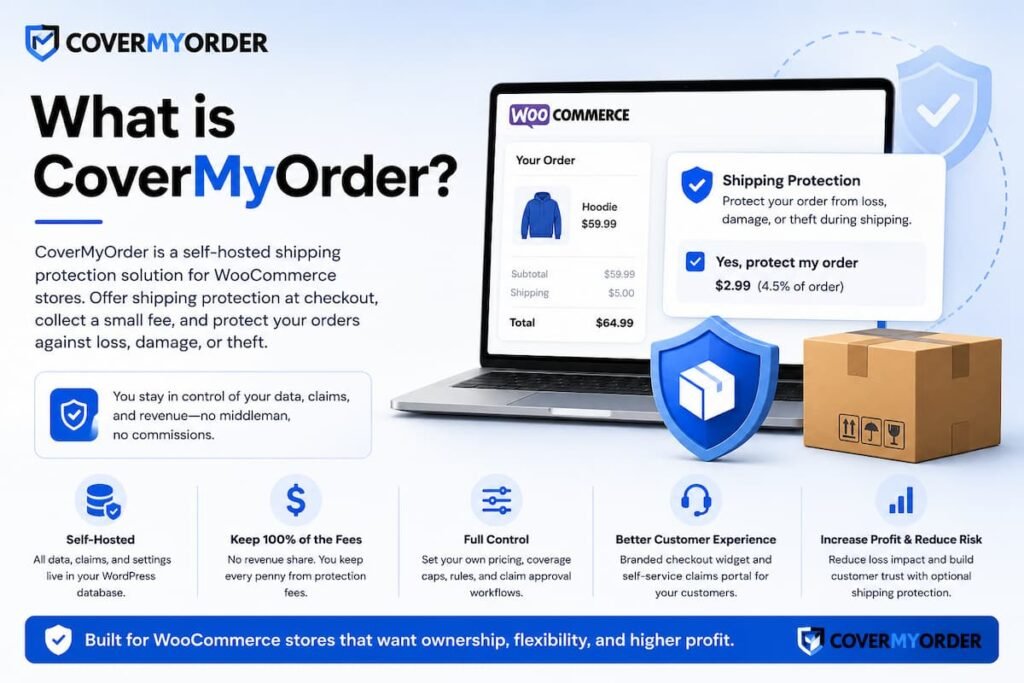
CoverMyOrder is a self-hosted WooCommerce shipping protection plugin available on WordPress.org. It adds a protection opt-in to the cart and checkout, collects the fee through the store’s existing payment gateway, and provides a built-in claims portal, reserve ledger and automation rules. All data stays in the merchant’s WordPress database, and the merchant keeps 100% of the protection fees collected.
CoverMyOrder operates as a standard WordPress plugin. Once installed and activated, it renders a protection widget at checkout where customers can opt in. The fee is processed alongside the regular order total, with no separate payment integration required.
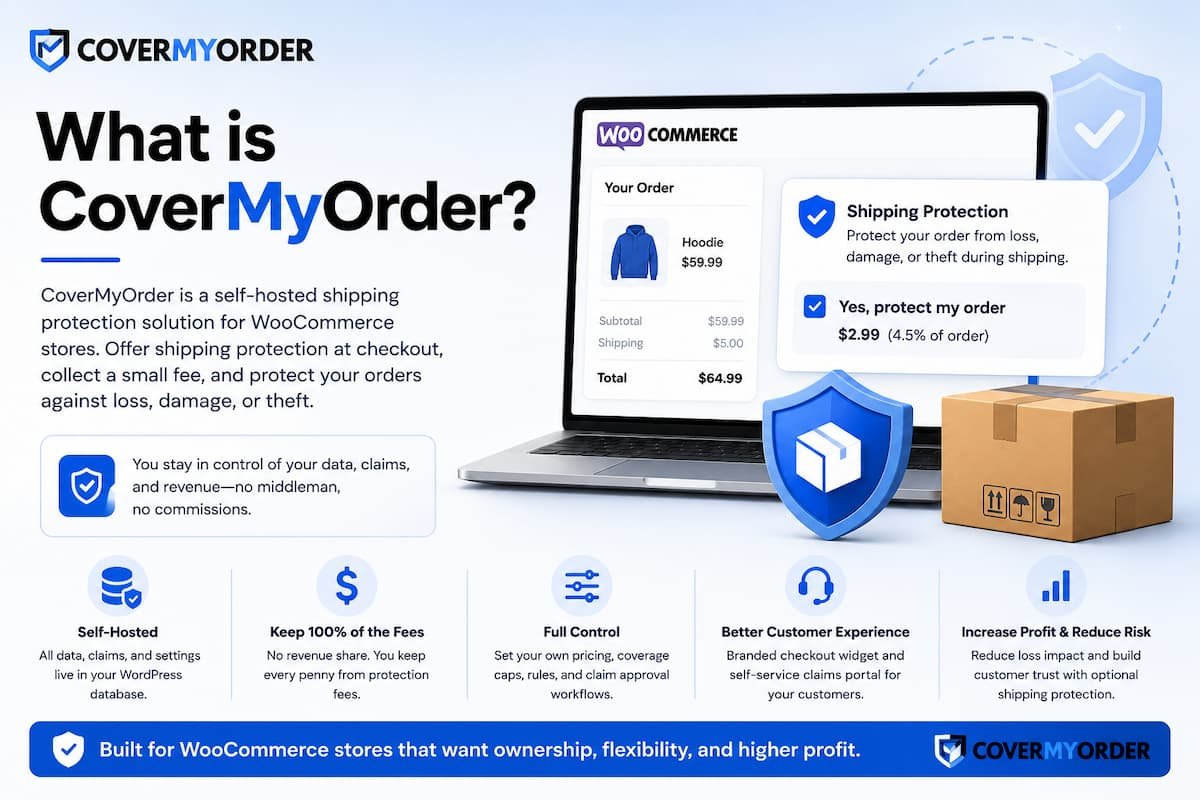
When a customer files a claim (lost, damaged or stolen), the merchant reviews it from a dedicated section in wp-admin. Approved payouts are tracked in an append-only reserve ledger, which gives the merchant a real-time view of premiums collected versus claims paid.
The plugin offers both a free tier and a premium licence. The free tier includes the checkout widget, claims management and the reserve ledger. The premium tier adds automation rules (auto-approve, auto-deny, hold for review), per-customer payout caps, coverage-cap overrides by product category, and white-label branding for agencies managing multiple stores.
CoverMyOrder is fully compatible with both the WooCommerce Cart and Checkout Blocks and the classic shortcode checkout. It also supports WooCommerce High Performance Order Storage (HPOS), which is increasingly relevant as WooCommerce migrates its data architecture away from the legacy post-meta model.
What is Route?
Route is a third-party shipping protection and post-purchase platform. It offers package protection at checkout, a consumer-facing tracking app, and a claims system managed entirely by Route. The customer pays a premium (typically 2% to 2.5% of cart value, minimum $0.98), Route collects those premiums weekly from the merchant via Stripe, and Route handles claim payouts directly. Route absorbs the financial risk of claims.
Route started as a Shopify-first product and has grown into one of the most widely known names in the shipping protection space. It positions itself as a post-purchase platform, bundling package protection with branded tracking, a consumer mobile app, and AI-powered claim resolution. Route is primarily designed for direct-to-consumer Shopify brands, and its Shopify integration is its strongest.
Route does have a WordPress.org plugin for WooCommerce, but the plugin’s maintenance history raises concerns. The WordPress.org support forum shows multiple unresolved threads dating back over three years, with merchants reporting PHP deprecation errors, checkout conflicts, and broken functionality after WooCommerce updates. As of early 2026, Route has also implemented a minimum order volume requirement, reportedly not accepting stores shipping fewer than 1,000 orders per month.
Route’s coverage caps at $5,000 per shipment ($2,500 for watches and electronics), and the coverage excludes shipping costs, taxes, customs duties and the Route premium itself. Stolen package claims may require a notarised incident statement and a police report. Claims are resolved by Route’s system, not by the merchant, which means the merchant has no control over whether a specific claim is approved or denied.
CoverMyOrder vs Route: feature-by-feature comparison
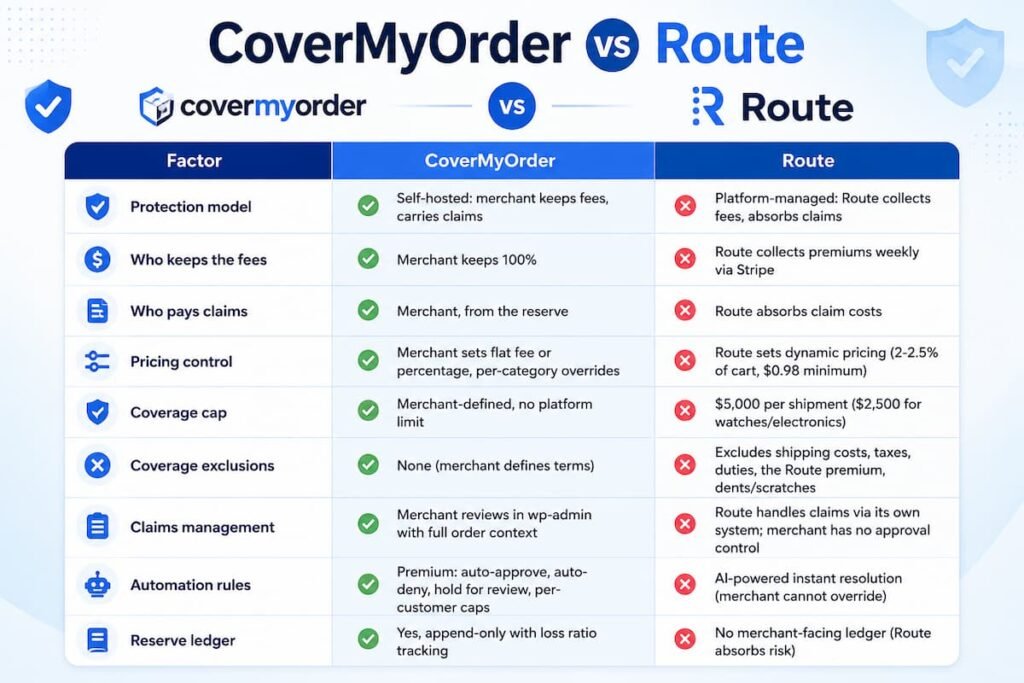
CoverMyOrder and Route differ on every structural dimension: who keeps the fees, who carries the claims, where data is stored, how pricing works, and how deeply each integrates with WooCommerce. The comparison table below covers fifteen factors across pricing, claims, data, compatibility and support.
| Factor | CoverMyOrder | Route |
| Protection model | Self-hosted: merchant keeps fees, carries claims | Platform-managed: Route collects fees, absorbs claims |
| Who keeps the fees | Merchant keeps 100% | Route collects premiums weekly via Stripe |
| Who pays claims | Merchant, from the reserve | Route absorbs claim costs |
| Pricing control | Merchant sets flat fee or percentage, per-category overrides | Route sets dynamic pricing (2-2.5% of cart, $0.98 minimum) |
| Coverage cap | Merchant-defined, no platform limit | $5,000 per shipment ($2,500 for watches/electronics) |
| Coverage exclusions | None (merchant defines terms) | Excludes shipping costs, taxes, duties, the Route premium, dents/scratches |
| Claims management | Merchant reviews in wp-admin with full order context | Route handles claims via its own system; merchant has no approval control |
| Automation rules | Premium: auto-approve, auto-deny, hold for review, per-customer caps | AI-powered instant resolution (merchant cannot override) |
| Reserve ledger | Yes, append-only with loss ratio tracking | No merchant-facing ledger (Route absorbs risk) |
| Data storage | Merchant’s WordPress database | Route’s servers |
| WooCommerce Blocks checkout | Fully supported | Limited; plugin reports checkout conflicts |
| HPOS compatibility | Fully supported | Not confirmed; plugin uses legacy post-meta patterns |
| Minimum order volume | None | Reportedly 1,000+ shipped orders/month (as of early 2026) |
| Plugin maintenance | Actively maintained, regular updates | WordPress.org support forum shows unresolved threads dating back 3+ years |
| Cost to merchant | Free tier available; Premium from $79/year | No monthly fee, but all premiums are forwarded to Route weekly |
Who keeps the money: the economic model explained
CoverMyOrder lets the merchant keep every pound and dollar of protection fees collected. The fees pass through the store’s own payment gateway and stay in the merchant’s account. Route collects the premiums from customers at checkout, then invoices the merchant weekly via Stripe to transfer those premiums to Route. In the Route model, the merchant never retains the protection revenue.
This is the single most important difference between the two products, and it drives every other trade-off.
On CoverMyOrder, the protection fee is added as a WooCommerce line item, processed through the store’s existing payment gateway (Stripe, PayPal, Square, or whatever the store uses), and deposited into the merchant’s account alongside the product revenue. The merchant then pays claims from this pool. What remains after claims is profit.
On Route, the protection fee is also added at checkout and processed through the store’s gateway, but Route bills the merchant weekly for the full premium amount. The merchant is effectively a pass-through: they collect the fee from the customer and forward it to Route. Route then uses those pooled premiums, across all merchants, to fund claim payouts.
The Route model is not free. It is zero-cost only in the sense that Route does not charge a monthly subscription. But the merchant forfeits all protection revenue. For a store doing 500 protected orders per month at a $3.50 average protection fee, that is $1,750 per month in revenue that leaves the business. On CoverMyOrder, that $1,750 stays, minus actual claim costs.
At what point does self-hosting become more profitable?
Self-hosted WooCommerce shipping protection becomes more profitable than a platform-managed model almost immediately for any store with a claim rate below 100%. Because the merchant keeps all premiums and only pays out on actual claims, the break-even point is simply the point at which total premiums collected exceed total claims paid, which industry data suggests happens at claim rates well below 10%.
Worked example: 500 orders per month
Consider a WooCommerce store processing 500 orders per month with a 60% protection attach rate (300 protected orders). The average protection fee is $3.50, and the store’s claim rate is 6% with an average payout of $40.
| Metric | CoverMyOrder (self-hosted) | Route (platform-managed) |
| Protected orders/month | 300 | 300 |
| Average protection fee | $3.50 | $3.50 (set by Route) |
| Monthly premiums collected | $1,050 | $1,050 (forwarded to Route) |
| Claims filed (6% rate) | 18 claims | 18 claims |
| Average payout per claim | $40 | $40 (paid by Route) |
| Total claim payouts/month | $720 | $0 (Route absorbs) |
| Plugin/platform cost | $79/year ($6.58/month) | $0 monthly fee |
| Net revenue to merchant | $323.42/month | $0/month |
| Annual net revenue | $3,881 | $0 |
In this scenario, the self-hosted model generates $3,881 per year in net revenue after claim payouts and the plugin licence. The Route model generates $0. The merchant is protected against claims in both cases, but on Route, the protection is funded by forfeiting the entire revenue stream.
For self-hosting to be less profitable than Route, the claim rate would need to exceed 100% of premiums collected, meaning the store would pay out more in claims than it collects in fees. At a $3.50 fee and a $40 average payout, that would require a claim rate above 8.75%. Industry averages are well below this threshold.
The only scenario where Route’s model is financially advantageous is a catastrophic, sustained spike in claims, such as a carrier partner losing a large batch of shipments, that would drain the reserve faster than premiums replenish it. For stores with stable operations and predictable shipping, self-hosting is more profitable at virtually any order volume.
How do claims work on CoverMyOrder vs Route?
CoverMyOrder claims are filed through a portal inside the WooCommerce store and reviewed by the merchant in wp-admin. The merchant sees the full order context, tracking data and evidence, and decides every payout. Route claims are filed through Route’s website or mobile app and resolved by Route’s system. The merchant cannot review, approve or deny individual claims.
This is where the control difference becomes most visible. On CoverMyOrder, the merchant is the decision-maker. They see every claim, review the evidence, check the customer’s claim history, and approve or deny based on their own policy. Premium users can set automation rules: auto-approve claims below a certain value, hold stolen-delivery claims for manual review, or cap payouts per customer over a rolling period.
On Route, the merchant is a bystander. Route’s system (described as AI-powered instant resolution) processes the claim and decides the outcome. The merchant cannot intervene. If Route denies a claim the customer believes is legitimate, the customer contacts the merchant’s support team, not Route’s. This creates a friction point: the merchant bears the reputational cost of a denied claim but has no ability to overturn the decision.
Route’s coverage also has specific exclusions that merchants should be aware of. Coverage does not extend to shipping costs, taxes, customs duties or the Route premium itself. Dents and scratches are excluded. Stolen package claims may require a notarised incident statement and a police report, which creates a high barrier for the customer and can lead to negative support experiences attributed to the merchant’s brand.
CoverMyOrder has no platform-imposed exclusions. The merchant defines their own coverage terms, evidence requirements, and payout rules. This gives the merchant complete flexibility to match the claims process to their product category and customer expectations.
Which one works better with WooCommerce?
CoverMyOrder is built exclusively for WooCommerce and supports both the Cart and Checkout Blocks and the classic shortcode checkout, plus WooCommerce High Performance Order Storage (HPOS). Route has a WooCommerce plugin on WordPress.org, but its support history shows unresolved compatibility issues, and its primary development focus is Shopify.
WooCommerce compatibility is not binary. A plugin can install and activate without errors but still break on a specific checkout configuration, conflict with another plugin, or fail when a core WooCommerce update changes the data architecture.
CoverMyOrder is a WooCommerce-native plugin. It is built on WooCommerce’s own APIs, renders its checkout widget using WooCommerce Blocks extensibility points, and stores protection data in the HPOS-compatible custom order tables. It does not depend on any external service to function: the protection programme runs entirely inside WordPress.
Route’s WooCommerce plugin exists on WordPress.org with 26 reviews and a modest install base. However, the plugin’s support forum tells a more nuanced story.
Multiple threads report PHP deprecation errors, meta data persisting after uninstallation, the protection fee appearing as a product line item in ShipStation (causing fulfilment confusion), and checkout rendering failures. Several of these threads are three or more years old with no official response.
Route’s engineering resources are focused on its Shopify integration, which is where the vast majority of its merchant base operates.
Route also requires WooCommerce merchants to connect a separate Stripe account for the weekly premium billing cycle, which adds an external financial dependency that does not exist on CoverMyOrder.
Where does your data live?
CoverMyOrder stores all protection data, including plan elections, fees, claims, evidence and reserve transactions, in the merchant’s own WordPress database. Route stores this data on Route’s servers. If a merchant leaves Route, they lose access to their claims history, reserve data and customer protection records.
Data ownership matters for three reasons. First, privacy regulations (GDPR in the EU, the UK Data Protection Act, and US state-level privacy laws) hold the merchant responsible for their customers’ data, regardless of where a third-party platform stores it. Running protection data through an external platform creates an additional data controller relationship the merchant must disclose and manage.
Second, the claims history is operationally valuable. Over time, it reveals which products, carriers and geographies generate the most claims, which informs packaging improvements, carrier selection and pricing adjustments. On CoverMyOrder, this data is queryable in wp-admin and exportable at any time. On Route, it lives inside Route’s merchant portal and is accessible only while the merchant remains on the platform.
Third, portability. If a merchant decides to leave Route and move to a self-hosted model, they lose their claims history. On CoverMyOrder, the data is in the WordPress database and stays there regardless of whether the plugin is active. This is the same principle that applies to any critical business system: data you do not own is data you can lose.
When to choose CoverMyOrder and when to choose Route
CoverMyOrder is the better choice for WooCommerce stores that want to keep protection revenue, control claim decisions, and own their data. Route is better for high-volume Shopify stores that want to outsource claim management entirely and are willing to forgo the margin in exchange for zero claim risk. For WooCommerce specifically, CoverMyOrder is the stronger option because of its native compatibility and active maintenance.
Choose CoverMyOrder if:
Your store runs on WooCommerce and you want a plugin built specifically for the platform, with full Blocks checkout and HPOS support. You want to keep 100% of protection fees and are comfortable carrying the claim risk, which industry data shows is manageable at typical claim rates. You want full control over claim decisions, coverage terms and pricing. You want your protection data stored in your own database. You are an agency managing multiple WooCommerce stores and need white-label branding.
Choose Route if:
Your store runs on Shopify (Route’s primary platform) and you want a fully managed post-purchase experience including branded tracking and a consumer app. You ship more than 1,000 orders per month (Route’s reported minimum). You want zero claim risk and are willing to forgo all protection revenue in exchange. You do not need control over individual claim decisions and are comfortable with Route’s coverage exclusions and payout rules.
Route is not the right fit if:
Your store runs on WooCommerce and you need a reliable, actively maintained integration. You ship fewer than 1,000 orders per month. You sell products above the $5,000 coverage cap (or $2,500 for watches and electronics). You need to control claim approvals or set custom automation rules. You need your protection data stored locally for privacy compliance or operational analysis.
Verdict: CoverMyOrder vs Route for WooCommerce stores
For WooCommerce stores, CoverMyOrder is the stronger choice. It is built natively for WooCommerce, keeps 100% of protection fees with the merchant, gives full control over claims and pricing, stores all data locally, and is actively maintained for WooCommerce Blocks and HPOS. Route is a capable platform on Shopify, but its WooCommerce integration is secondary, its support history is concerning, and its model forfeits all protection revenue.
Route deserves credit for bringing shipping protection into the mainstream. It is a well-known brand, its Shopify integration is polished, and its zero-claim-risk model is genuinely valuable for merchants who want to outsource the entire programme. For Shopify stores with the required order volume, Route is a reasonable option.
But for WooCommerce stores specifically, the equation is clear. CoverMyOrder is purpose-built for the platform, its plugin is actively maintained, it gives the merchant full economic and operational control, and it stores data where the merchant can access and own it permanently. The self-hosted model is more profitable at any claim rate below 100% of collected premiums, and at industry-average claim rates of 5% to 8%, the margin is substantial.
The honest trade-off is that CoverMyOrder requires the merchant to manage claims. Route removes that operational burden. For stores with limited support capacity, that has value. But for stores willing to spend a few minutes per week reviewing claims (or setting automation rules to handle most of them), the financial and operational advantages of self-hosting are significant.
Frequently asked questions
Does Route work with WooCommerce?
Route has a WooCommerce plugin on WordPress.org, but its maintenance history is a concern. The plugin’s support forum shows unresolved compatibility issues dating back over three years, including PHP errors and checkout conflicts. Route’s primary development focus is Shopify, and as of early 2026, Route reportedly requires a minimum of 1,000 shipped orders per month to accept new merchants.
Can I switch from Route to CoverMyOrder?
Yes. CoverMyOrder can be installed and activated on any WooCommerce store. After deactivating the Route plugin, install CoverMyOrder, configure a protection plan and enable the claims portal. Existing orders that were protected through Route remain under Route’s coverage. New orders from the activation date onward are covered by CoverMyOrder. Note that claims history from Route does not transfer.
Is CoverMyOrder free?
CoverMyOrder has a free tier that includes the checkout widget, claims management and the reserve ledger. The premium tier (from $79 per year) adds automation rules, per-customer payout caps, per-category coverage overrides, and white-label branding. Both tiers let the merchant keep 100% of protection fees, and there is no per-order charge.
Does Route charge a monthly fee?
Route does not charge a monthly subscription fee. Instead, it collects 100% of the protection premiums customers pay at checkout. The merchant collects the fees through their payment gateway, then Route invoices the merchant weekly via Stripe to transfer those premiums. The merchant retains no protection revenue.
What happens if my claim rate spikes on CoverMyOrder?
On CoverMyOrder, a claim rate spike draws down the reserve. The merchant can respond by adjusting the protection fee, tightening coverage caps, adding per-customer payout limits, or setting automation rules that hold high-risk claims for manual review. Because the merchant controls every variable, they can react in real time. The reserve ledger provides the data needed to identify the problem and adjust.

Abdur Rouf is a digital marketing specialist with 13 years in search, spanning 510+ SEO projects for clients across 30 countries. Formerly Chief Marketing Officer at BDThemes and Senior Digital Marketing Manager at Webjuice in Dublin, he specialises in technical SEO, local SEO and SaaS growth.